01
Open a repo
Point Edge Agent AI at any local folder or clone from GitHub. Your code is read on your machine — never uploaded.
Edge Agent AI is a desktop app that statically scans your AI agent repositories for dangerous tools, unsafe prompts, and risky workflows — before they ever reach production.
Runs entirely on your machine. No code leaves your laptop. Free and open source.
Modern AI agents call tools, run shell commands, hit APIs, and handle sensitive data. Edge Agent AI reads your repository and tells you, before you deploy, which parts of that pipeline are risky and why.
Point Edge Agent AI at any local folder or clone from GitHub. Your code is read on your machine — never uploaded.
A bundled static scanner inspects every Python and TypeScript file, looking for agents, tools, prompts, model calls, and dangerous patterns (subprocess, eval, file deletion, payments…).
See findings with severity, a visualized workflow diagram of how data flows through your agent, and ask follow-up questions in a built-in chat.
A 63-second tour of Edge Agent AI on a real LangGraph repository — policy gate, scan center, findings, run traces, workflow narrative, and branch compare. Plays silently, loops forever.
Eleven workspaces. One project. Zero context switching between your IDE, a separate scanner, and a chat assistant.
At-a-glance dashboard for the selected project — agents detected, findings by severity, recent scans.
One-click static scan of any repository. Bundled scanner binary — no Python install required.
Auto-discovers LangChain, LangGraph, LlamaIndex, Pydantic AI, Agno, and custom agent classes.
 New
New
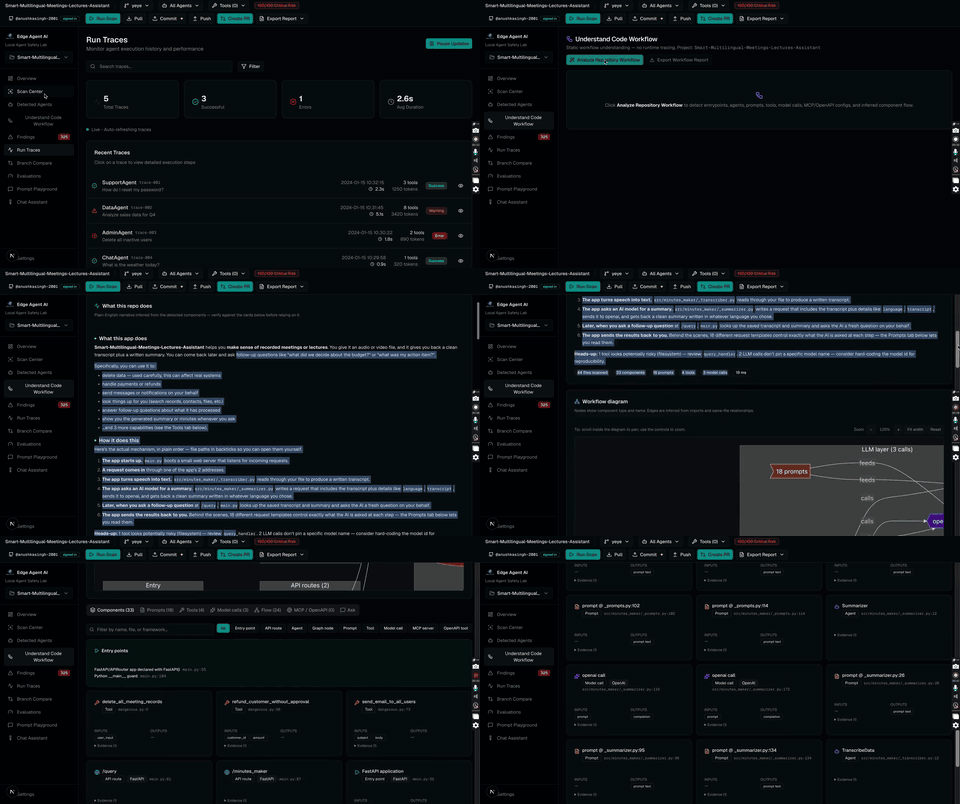
Visual flowchart of every component, prompt, tool, and model call. Ask plain-English questions about your repo with a built-in LLM chat (BYO API key).
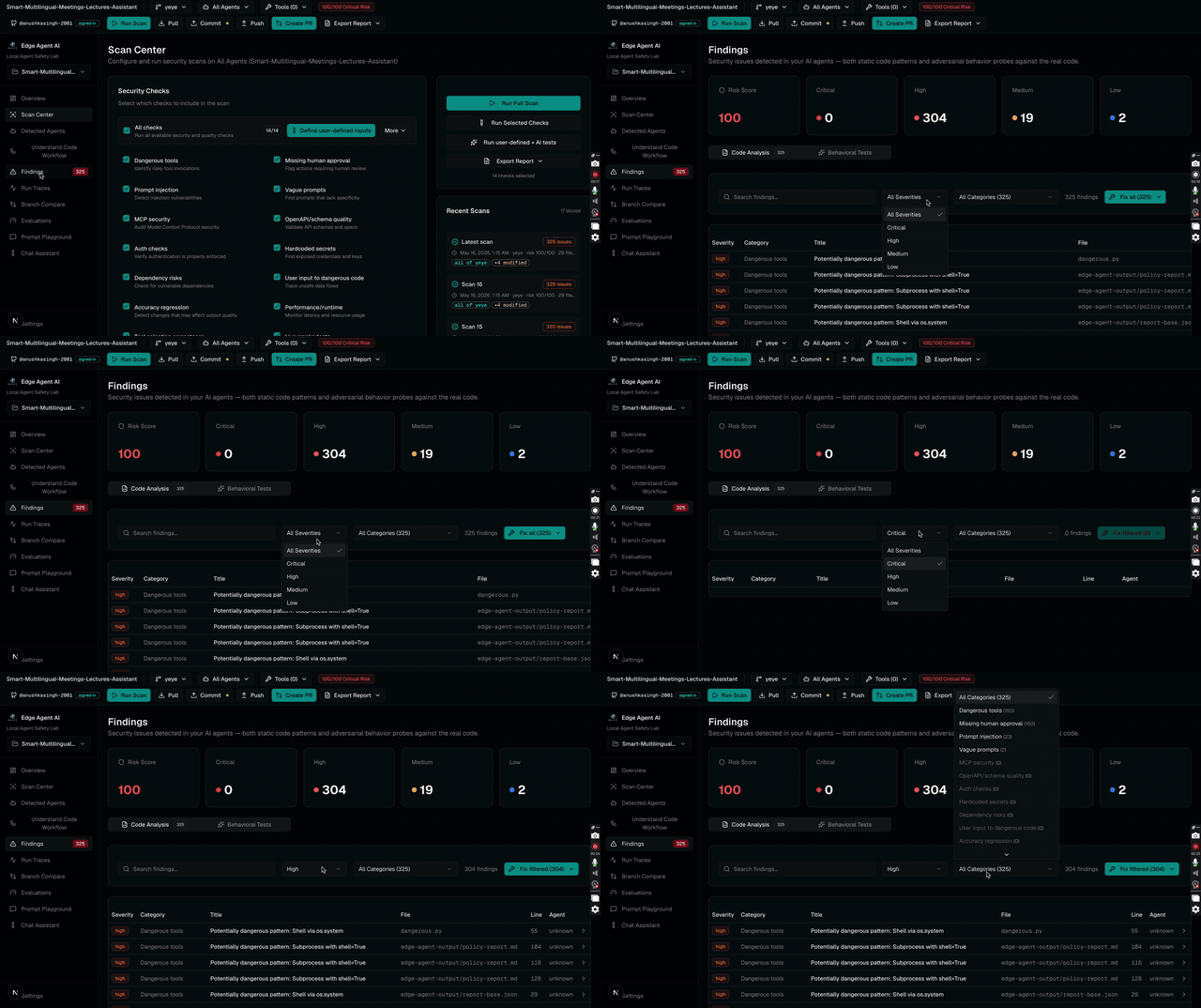
Every issue with severity (critical → low), file, line, evidence, suggested fix, and confidence score.
Inspect runtime traces from your agent runs — see which prompts, tools, and tokens fired in which order.
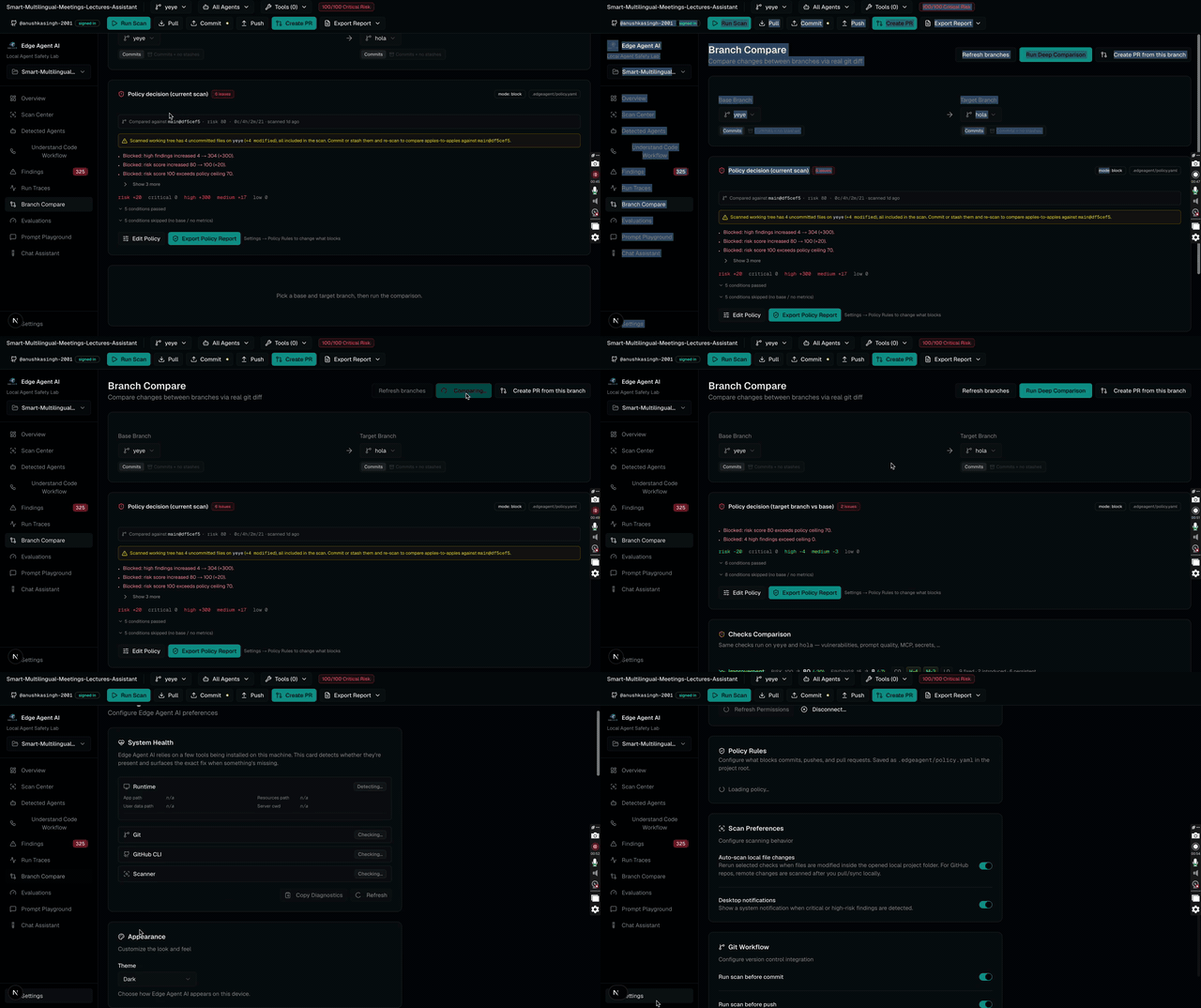
Diff scans across git branches to see which findings the current PR introduces, fixes, or worsens.
Run regression evals over a repo's agents to track quality across versions. Bring your own datasets.
Edit, version, and test prompts side-by-side against multiple models. Stops you copy-pasting from ChatGPT.
Conversational interface to your repo. Asks: "Which file calls OpenAI? Which prompt is the riskiest?"
Configure scan policies, severity gates, GitHub auth, BYO API keys. Wire pre-commit + pre-push hooks for free.
Version 0.1.0 · Built and signed unsigned for early
access. macOS users may need to right-click → Open on first
launch; Windows users may need to click "More info → Run anyway"
past SmartScreen. Both go away once we add code signing in a
later release.
chmod +x and runsudo dpkg -i installerNew to Edge Agent AI? Start by opening the sample project included with the docs — it's a small "minutes maker" agent that shows every feature in 90 seconds.
No. The scanner is a static analyzer that runs entirely on your machine. Edge Agent AI never uploads source code, prompts, or scan results anywhere. The only outbound traffic happens if you wire an OpenAI / Anthropic / Gemini key into the chat feature — and even then only your chat prompts are sent, not the repository.
No. The scanner is shipped as a pre-compiled binary inside the desktop app — built per OS with PyInstaller. You only need Python if you want to extend the scanner rules in source form.
Optional. The scanner, findings, workflow diagram, and policy gates all work fully offline. An LLM key is only needed for the optional "Ask about this repo" chat feature. Keys are stored locally in app settings and never sent to Edge Agent AI's servers (there are none).
This is an early-access release. Apple Developer ID and Windows EV code-signing certificates cost several hundred dollars per year combined; we'll add signing in a v0.2 once we have early-adopter feedback to validate the spend. Until then: right-click → Open on macOS, "More info → Run anyway" on Windows. The .AppImage and .deb on Linux have no equivalent warning.
Python and TypeScript/JavaScript are first-class. The scanner detects FastAPI, Next.js API routes, Express, LangChain, LangGraph, LlamaIndex, Pydantic AI, Agno, raw OpenAI / Anthropic / Gemini SDK calls, and tool-calling patterns (subprocess, eval, os.system, file deletes, payments…). More languages on request.
Yes — on GitHub. The Next.js + Electron + Python source, the scanner rules, the workflow analyzer, and this very website are all versioned there.